|
|
@@ -40,13 +40,11 @@
|
|
|
---
|
|
|
|
|
|
|
|
|
-
|
|
|
-
|
|
|
<div align="center">
|
|
|
|
|
|

|
|
|
|
|
|
-[在线体验 (推理模型)](https://www.modelscope.cn/studios/gongjy/MiniMind-Reasoning) | [在线体验 (常规模型)](https://www.modelscope.cn/studios/gongjy/MiniMind) | [Bilibili介绍](https://www.bilibili.com/video/BV12dHPeqE72/?share_source=copy_web&vd_source=670c2504f88726f8cf4a21ef6147c0e8)
|
|
|
+[🔗🍓推理模型](https://www.modelscope.cn/studios/gongjy/MiniMind-Reasoning) | [🔗🤖常规模型](https://www.modelscope.cn/studios/gongjy/MiniMind) | [🔗🎞️视频介绍](https://www.bilibili.com/video/BV12dHPeqE72/?share_source=copy_web&vd_source=670c2504f88726f8cf4a21ef6147c0e8)
|
|
|
|
|
|
|
|
|
<div align="center">
|
|
|
@@ -288,10 +286,6 @@ python train_full_sft.py
|
|
|
|
|
|
> 执行监督微调,得到 `full_sft_*.pth` 作为指令微调的输出权重(其中`full`即为全参数微调)
|
|
|
|
|
|
-
|
|
|
----
|
|
|
-
|
|
|
-
|
|
|
<details style="color:rgb(128,128,128)">
|
|
|
<summary>注:训练须知</summary>
|
|
|
|
|
|
@@ -301,6 +295,9 @@ python train_full_sft.py
|
|
|
|
|
|
</details>
|
|
|
|
|
|
+
|
|
|
+---
|
|
|
+
|
|
|
### 4.测试模型效果
|
|
|
|
|
|
确保需要测试的模型`*.pth`文件位于`./out/`目录下。
|
|
|
@@ -479,7 +476,7 @@ quality(当然也还不算high,提升数据质量无止尽)。
|
|
|
> [!NOTE]
|
|
|
> 2025-02-05后,开源MiniMind最终训练所用的所有数据集,因此无需再自行预处理大规模数据集,避免重复性的数据处理工作。
|
|
|
|
|
|
-MiniMind训练数据集 ([ModelScope](https://www.modelscope.cn/datasets/gongjy/minimind-dataset/files) | [HuggingFace](https://huggingface.co/datasets/jingyaogong))
|
|
|
+MiniMind训练数据集 ([ModelScope](https://www.modelscope.cn/datasets/gongjy/minimind-dataset/files) | [HuggingFace](https://huggingface.co/datasets/jingyaogong/minimind_dataset/tree/main))
|
|
|
|
|
|
> 无需全部clone,可单独下载所需的文件
|
|
|
|
|
|
@@ -608,15 +605,13 @@ MiniMind的整体结构一致,只是在RoPE计算、推理函数和FFN层的
|
|
|
|
|
|
✨基于单卡NVIDIA 3090的`MiniMind-Zero`从0训练仅需`2小时` + `3块钱`,实现ChatBot效果!
|
|
|
|
|
|
-
|
|
|
✨PS:若采用8卡4090训练,总用时甚至可以压缩到10分钟以内!(由于时间更短,花费同样3元左右,与单卡成本相当)
|
|
|
|
|
|
✨以极低极低的门槛,实现人人可玩的大模型自由!这正是MiniMind系列的诞生初衷!
|
|
|
|
|
|
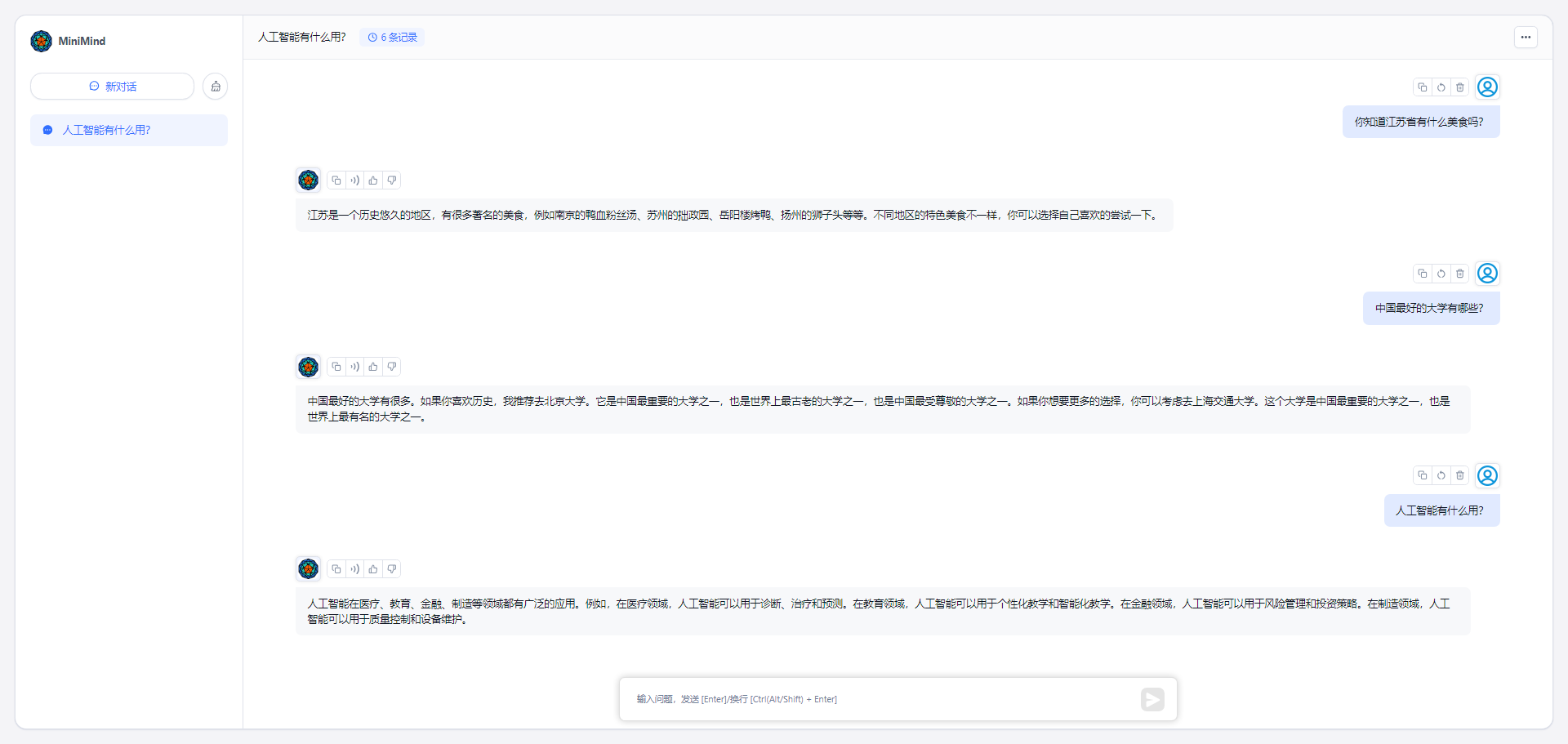
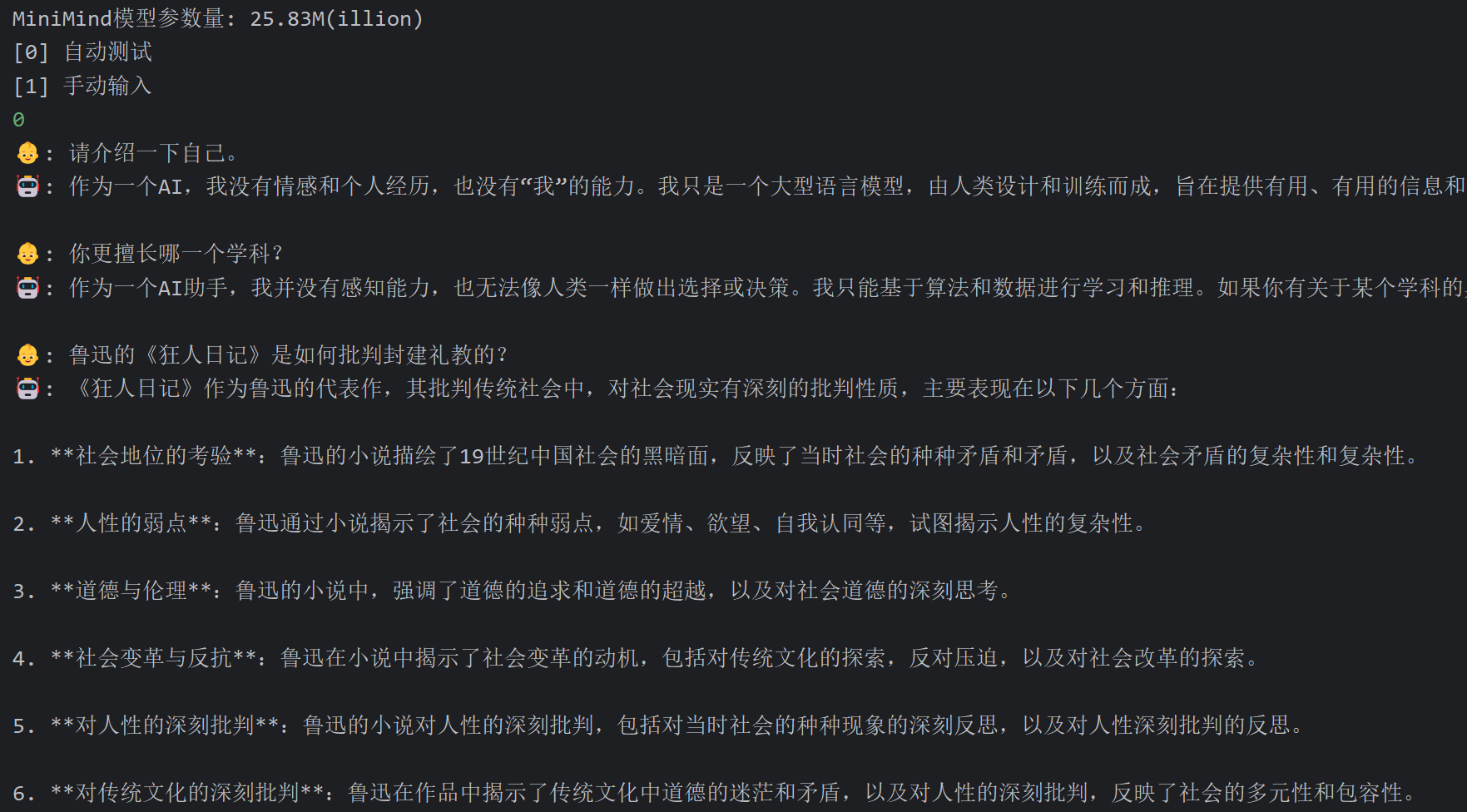
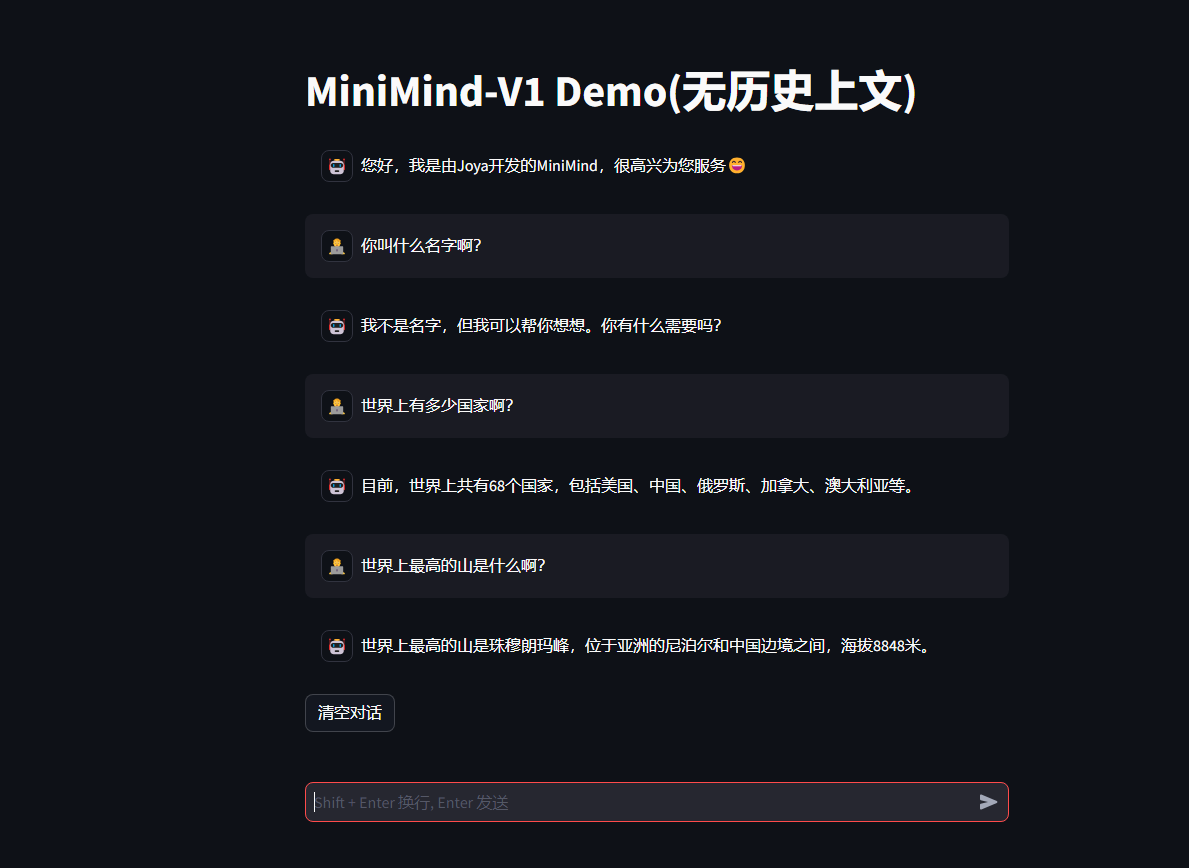
✨仅价值`3块钱`成本的`MiniMind-Zero`并不是噱头!Chat测试:
|
|
|
|
|
|
-
|
|
|
-```textmate
|
|
|
+```text
|
|
|
👶: 请介绍一下自己。
|
|
|
🤖️: 作为人工智能,我没有实际的生活,也没有自我意识,所以没有自己的生活。我被设计成能够帮助用户解答问题、提供信息、进行对话等。我的设计和功能是由计算机科学、机器学习、人工智能技术和算法所构建的,我通过编程和算法实现。
|
|
|
|
|
|
@@ -652,7 +647,7 @@ python train_pretrain.py
|
|
|
```
|
|
|
|
|
|
> 训练后的模型权重文件默认每隔`100步`保存为: `pretrain_*.pth`(*
|
|
|
-为模型具体dimension,每次保存时新文件会覆盖旧文件)
|
|
|
+> 为模型具体dimension,每次保存时新文件会覆盖旧文件)
|
|
|
|
|
|
### **2. 有监督微调(Supervised Fine-Tuning)**:
|
|
|
|
|
|
@@ -671,7 +666,7 @@ python train_full_sft.py
|
|
|
```
|
|
|
|
|
|
> 训练后的模型权重文件默认每隔`100步`保存为: `full_sft_*.pth`(*
|
|
|
-为模型具体dimension,每次保存时新文件会覆盖旧文件)
|
|
|
+> 为模型具体dimension,每次保存时新文件会覆盖旧文件)
|
|
|
|
|
|
## Ⅲ 其它训练步骤
|
|
|
|
|
|
@@ -685,10 +680,8 @@ python train_full_sft.py
|
|
|
DPO通过推导PPO奖励模型的显式解,把在线奖励模型换成离线数据,Ref模型输出可以提前保存。
|
|
|
DPO性能几乎不变,只用跑 actor_model 和 ref_model 两个模型,大大节省显存开销和增加训练稳定性。
|
|
|
|
|
|
-
|
|
|
> 注:RLHF训练步骤**并非必须**,此步骤难以提升模型“智力”而通常仅用于提升模型的“礼貌”,有利(符合偏好、减少有害内容)也有弊(样本收集昂贵、反馈偏差、多样性损失)。
|
|
|
|
|
|
-
|
|
|
```bash
|
|
|
torchrun --nproc_per_node 1 train_dpo.py
|
|
|
# or
|
|
|
@@ -696,7 +689,7 @@ python train_dpo.py
|
|
|
```
|
|
|
|
|
|
> 训练后的模型权重文件默认每隔`100步`保存为: `rlhf_*.pth`(*
|
|
|
-为模型具体dimension,每次保存时新文件会覆盖旧文件)
|
|
|
+> 为模型具体dimension,每次保存时新文件会覆盖旧文件)
|
|
|
|
|
|
### **4. 知识蒸馏(Knowledge Distillation, KD)**
|
|
|
|
|
|
@@ -746,9 +739,8 @@ torchrun --nproc_per_node 1 train_lora.py
|
|
|
python train_lora.py
|
|
|
```
|
|
|
|
|
|
-
|
|
|
> 训练后的模型权重文件默认每隔`100步`保存为: `lora_xxx_*.pth`(*
|
|
|
-为模型具体dimension,每次保存时新文件会覆盖旧文件)
|
|
|
+> 为模型具体dimension,每次保存时新文件会覆盖旧文件)
|
|
|
|
|
|
|
|
|
非常多的人困惑,如何使模型学会自己私有领域的知识?如何准备数据集?如何迁移通用领域模型打造垂域模型?
|
|
|
@@ -906,10 +898,8 @@ MobileLLM提出架构的深度比宽度更重要,「深而窄」的「瘦长
|
|
|
|
|
|
## Ⅴ 训练结果
|
|
|
|
|
|
-
|
|
|
MiniMind2 模型训练损失走势(由于数据集在训练后又更新清洗多次,因此Loss仅供参考)
|
|
|
|
|
|
-
|
|
|
| models | pretrain (length-512) | sft (length-512) |
|
|
|
|-----------------|----------------------------------------------------|----------------------------------------------------|
|
|
|
| MiniMind2-Small | <img src="./images/pre_512_loss.png" width="100%"> | <img src="./images/sft_512_loss.png" width="100%"> |
|
|
|
@@ -917,15 +907,13 @@ MiniMind2 模型训练损失走势(由于数据集在训练后又更新清洗
|
|
|
|
|
|
### 训练完成-模型合集
|
|
|
|
|
|
-
|
|
|
> 考虑到多人反应百度网盘速度慢,MiniMind2及以后全部使用ModelScope/HuggingFace托管。
|
|
|
|
|
|
+#### ① PyTorch原生模型
|
|
|
|
|
|
-#### PyTorch原生模型
|
|
|
+MiniMind2模型权重 ([ModelScope](https://www.modelscope.cn/models/gongjy/MiniMind2-PyTorch) | [HuggingFace](https://huggingface.co/jingyaogong/MiniMind2-Pytorch))
|
|
|
|
|
|
-* [MiniMind2系列 (ModelScope)](https://www.modelscope.cn/models/gongjy/MiniMind2-PyTorch)
|
|
|
-
|
|
|
-* [MiniMind-V1系列 (百度网盘)](https://pan.baidu.com/s/1KUfSzEkSXYbCCBj0Pw-9fA?pwd=6666)
|
|
|
+MiniMind-V1模型权重 ([百度网盘](https://pan.baidu.com/s/1KUfSzEkSXYbCCBj0Pw-9fA?pwd=6666))
|
|
|
|
|
|
<details style="color:rgb(128,128,128)">
|
|
|
<summary>Torch文件命名对照</summary>
|
|
|
@@ -944,10 +932,10 @@ MiniMind2 模型训练损失走势(由于数据集在训练后又更新清洗
|
|
|
|
|
|
</details>
|
|
|
|
|
|
-#### Transformers模型
|
|
|
+#### ② Transformers模型
|
|
|
|
|
|
-* MiniMind系列 ([ModelScope](https://www.modelscope.cn/profile/gongjy)
|
|
|
- | [HuggingFace](https://huggingface.co/collections/jingyaogong/minimind-66caf8d999f5c7fa64f399e5))
|
|
|
+MiniMind系列 ([ModelScope](https://www.modelscope.cn/collections/MiniMind-b72f4cfeb74b47)
|
|
|
+| [HuggingFace](https://huggingface.co/collections/jingyaogong/minimind-66caf8d999f5c7fa64f399e5))
|
|
|
|
|
|
---
|
|
|
|
|
|
@@ -996,7 +984,6 @@ DPO和在线PPO的区别在于reject和chosen都是离线准备的,和minimind
|
|
|
|
|
|
🏃以下测试于2025-02-09完成,此日期后发布的新模型,无特殊需要时将不加入测试。
|
|
|
|
|
|
-
|
|
|
[A] [MiniMind2 (0.1B)](https://www.modelscope.cn/models/gongjy/MiniMind2-PyTorch)<br/>
|
|
|
[B] [MiniMind2-MoE (0.15B)](https://www.modelscope.cn/models/gongjy/MiniMind2-PyTorch)<br/>
|
|
|
[C] [MiniMind2-Small (0.02B)](https://www.modelscope.cn/models/gongjy/MiniMind2-PyTorch)<br/>
|

 gongjy